
 Many useful platforms and supplementary exercises can help the trainer make each session more exciting and colorful during online training. Software made for online meetings, such as Zoom, allows the use of breakout rooms, which enable participants to be sent in smaller group or pair sessions, which the trainer can enter at any time.
At the beginning of our session, getting in the mood for the next few hours is essential. Welcome the participants with background music! Sharing audio is possible on the Zoom platform. Everyone can share information about themselves by creating a column on Padlet, even by adding pictures that characterize them. The website Linoit can serve the same purpose. It is an online corkboard on which you can stick virtual post-its. Both Padlet and Linoit can be helpful in the subsequent group work process.
When all participants have joined, the trainer asks them to turn off their camera and, after counting to three, turn it on simultaneously. With this, everyone has arrived symbolically, and the session can begin after a short greeting.
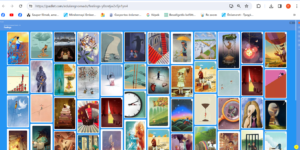 At the start and the end of a session, if time permits, provide an opportunity to assess how the participants feel. Collect abstract Dixit-like images depicting emotions and share the screen with the participants, who will choose the image that best helps express their feelings. Each person shares their screen individually and presents the image of their choice.
The website Canva is usually mentioned in connection with poster making and marketing. However, it can also be used in group work to create word clouds (bubble map templates) or to make a joint creation of art or poster by working together on a project. We can give them an imagined character, about which they can create a poster with pictures, photos, and symbols and present it by sharing the screen.
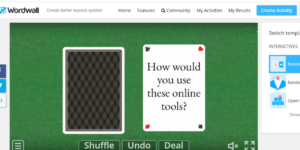 If the group is less artistically inclined, the Miro or Lucid sites can be helpful in a group session, which offers a lot of templates for group work, brainstorming, creating mind maps, and developing projects. For pair work exercises, it is worth exploring the possibilities offered by Wordwall and giving the pairs a matching task or random cards on which we have placed different questions.
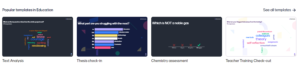
To close the session, create an interactive survey or word cloud in Mentimeter. By connecting their phones, participants can respond to questions and receive immediate feedback about their knowledge or prior knowledge. We can simply collect words/phrases about a topic in a word cloud, too (e.g., What was the most useful for you today?)
Literature:
Gert Schilling: 80 játékos tréninggyakorlat élő online képzésekhez, Z-Press Kiadó Kft. 2021, Miskolc
Fegyverneki Gergő: IKT-s ötlettár, Neteducatio Kft, 2016, Budapest
Fegyverneki Gergő, Aknai Dóra Orsolya: A mobiltanulás ábécéje pedagógusoknak, Neteducatio Kft, 2017, Budapest
Author: Vázsonyi Balassa Emese
Image: Leonardo AI

